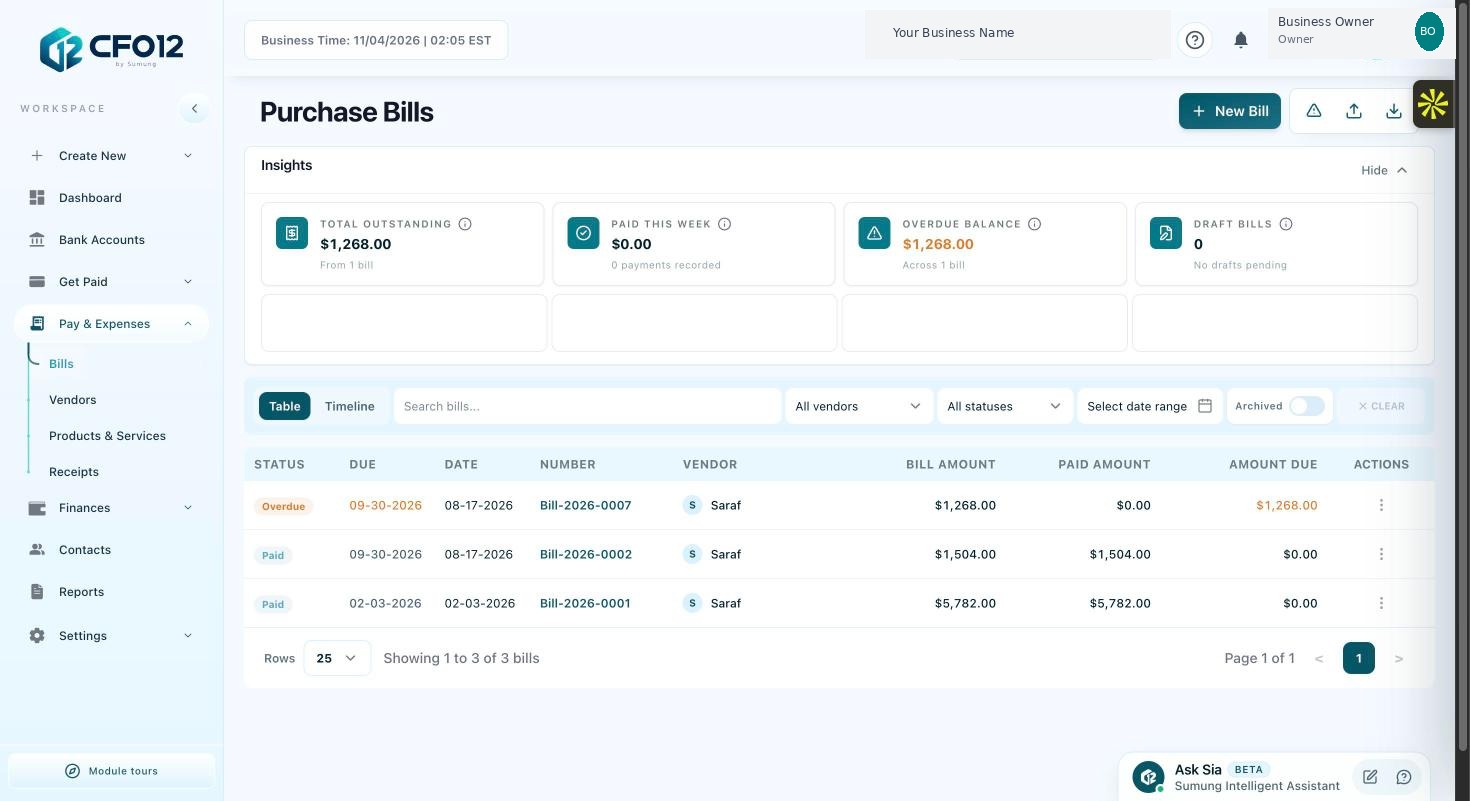
The Bills list shows every bill in your business across all statuses.
What You Can Do
- Go to Pay & Expenses > Bills.
- Each row shows columns for Status, Due, Date, Number, Vendor, Bill Amount, Paid Amount, Amount Due, and Actions.
- Use available filters to narrow bills by vendor, status, or date range.
- Switch between Table and Timeline views using the view toggle.
💡 Use the Timeline view to see bills plotted over time for a visual overview of your payment schedule.
Related Articles
Was this article helpful?
Your feedback helps us improve our documentation.