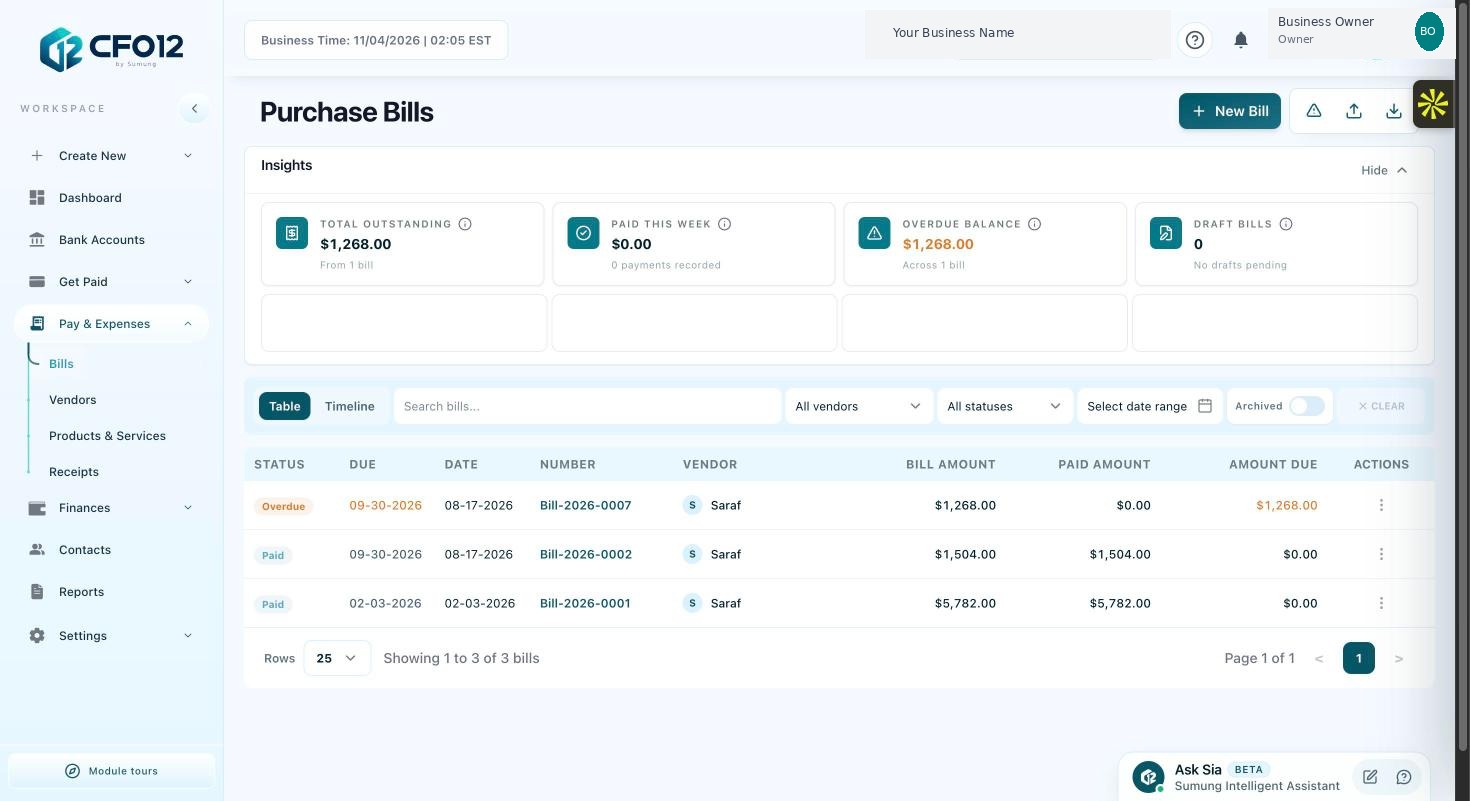
Use the status filter to view only Draft, Approved, or other specific bill statuses.
What You Can Do
- Go to Pay & Expenses > Bills.
- Use the status filter to select the status you want to view.
- Select a status to filter: Draft, Approved, or others.
- The bill list updates to show only bills with that status.
- Remove the filter to reset the list.
💡 Regularly reviewing Draft bills ensures nothing is missed before the payment deadline.
Related Articles
Was this article helpful?
Your feedback helps us improve our documentation.