Pay & Expenses is where you manage all business spending — bills from vendors, receipt uploads, and expense tracking.
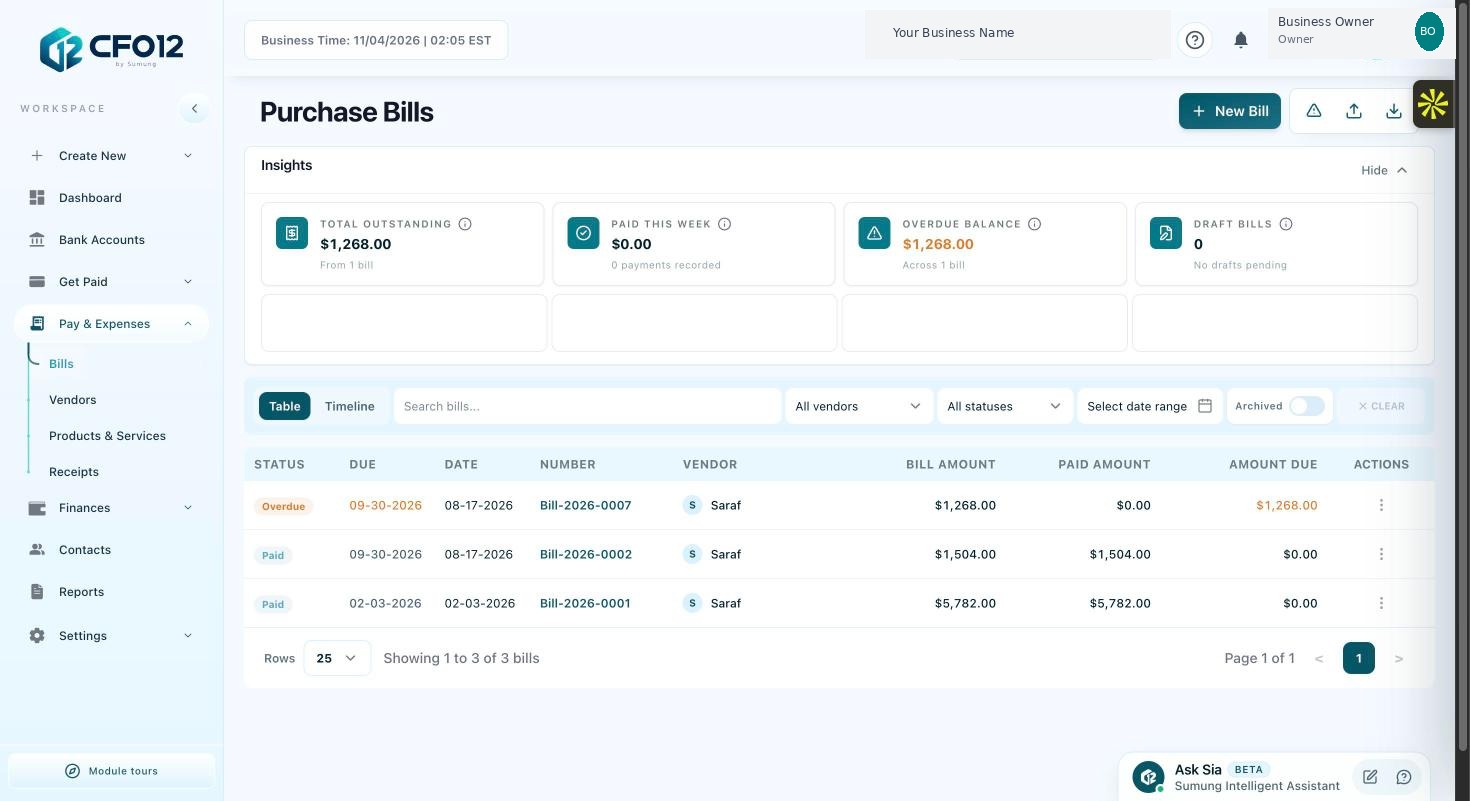
What You Can Do
- In the left sidebar, click Pay & Expenses to expand the section.
- You will see: Bills, Vendors, Products & Services, and Receipts.
- Bills track amounts you owe to vendors. Vendors are your suppliers. Products & Services are items you purchase. Receipts store expense documents.
- Use Create New > New Bill or New Receipt to quickly add a new record from anywhere.
💡 All spending recorded here feeds into your Profit & Loss and Aged Payables reports.
Related Articles
- How to Create a New Bill
- How to Add a New Vendor
- Overview of the Receipts Section
Was this article helpful?
Your feedback helps us improve our documentation.