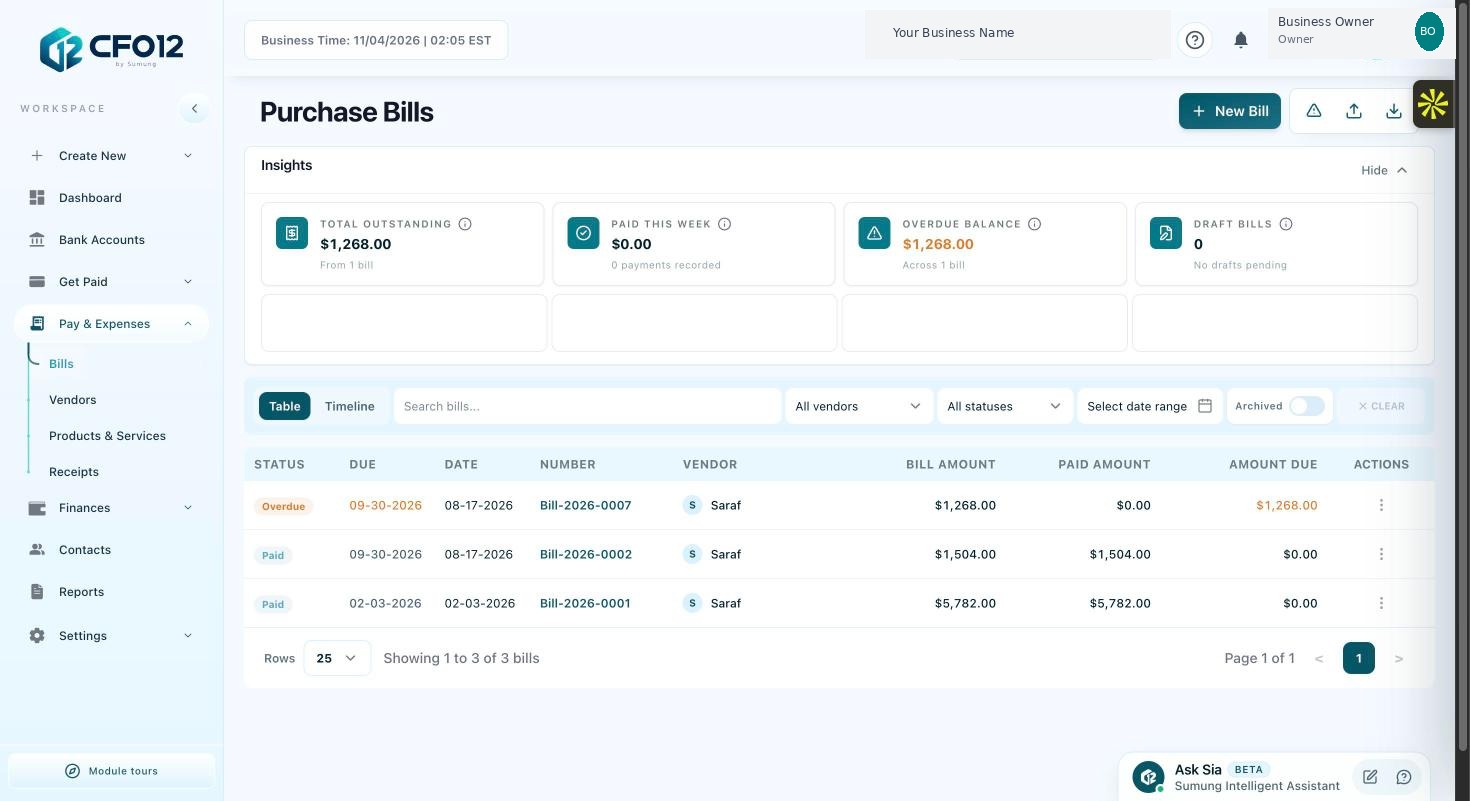
CFO12 gives you two ways to view your bills — a table list and a timeline view.
What You Can Do
- Go to Pay & Expenses > Bills.
- Click Table to view bills in a standard list.
- Click Timeline to see bills plotted along a time axis.
- The Timeline view is useful for understanding your upcoming payment commitments.
💡 Use Timeline view for a visual overview of when bills are due so you can manage cash flow.
Related Articles
Was this article helpful?
Your feedback helps us improve our documentation.