
What Is a Bill in CFO12?

A bill records money you owe to a vendor for goods or services they have provided to your business. Go to Pay & Expenses > Bills.

Last updated

Quick answer

A bill in CFO12 records money you owe a vendor for goods or services they provided to your business. You find bills under Pay & Expenses → Bills. Each bill holds the Supplier, Bill #, P.O./S.O., Currency, Bill Date, Due Date and line items, and can be saved as Draft or approved immediately.

A bill records money you owe to a vendor for goods or services they have provided to your business.
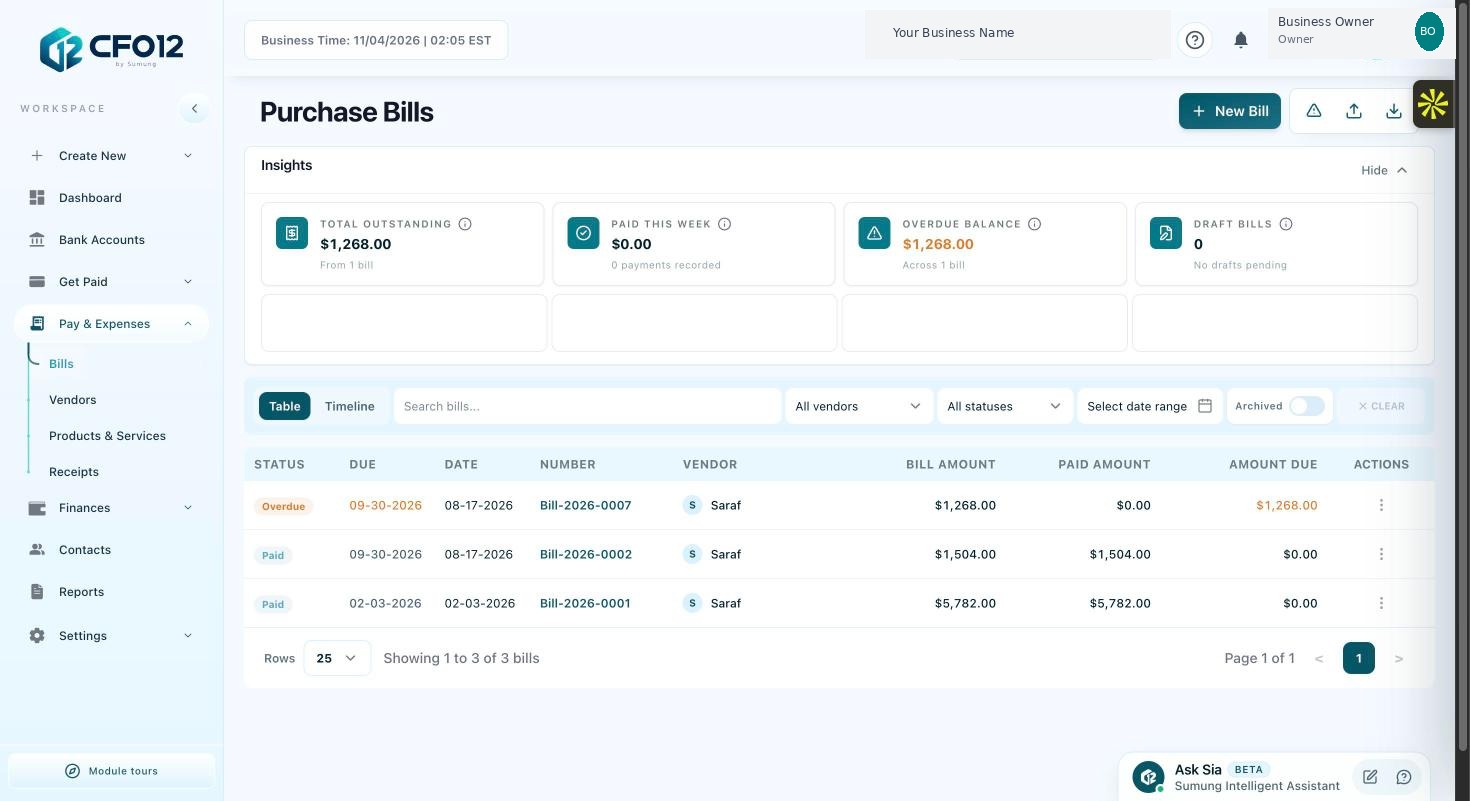
What Is a Bill in CFO12? screenshot

What You Can Do

  1. Go to Pay & Expenses > Bills.
  2. A bill includes: Supplier, Bill #, P.O./S.O., Currency, Bill Date, Due Date, and line items.
  3. Each line item has: ITEM, CATEGORY / ACCOUNT, DESCRIPTION, QTY, PRICE, TAX, and AMOUNT.
  4. Bills can be saved as Draft or approved immediately.

💡 Bills are the purchase equivalent of invoices. Invoices are what you send; bills are what you receive.

Related Articles

Was this article helpful?

Your feedback helps us improve our documentation.

Frequently asked questions

How is a bill different from an invoice?

A bill is the purchase equivalent of an invoice. Invoices are what you send to customers; bills are what you receive from vendors.

What fields does each bill line item have?

Each line item has ITEM, CATEGORY / ACCOUNT, DESCRIPTION, QTY, PRICE, TAX and AMOUNT. The AMOUNT calculates automatically.

Does a draft bill count towards what I owe?

No. Draft bills do not affect your outstanding payables until they are approved.

Complete guideBills and expenses in CFO12: complete guide