
Overview of Bank Accounts in CFO12

The Bank Accounts section lets you manage all your business bank and cash accounts in one place. In the left sidebar, click Bank Accounts.

Last updated

Quick answer

The Bank Accounts section in CFO12 is where you manage all your business bank and cash accounts in one place. Click Bank Accounts at the top of the left sidebar to see your active accounts, then use Add Bank Account, Import, Upload Statement, Auto Rules or the Archived toggle. Click any account to view its transactions.

The Bank Accounts section lets you manage all your business bank and cash accounts in one place.
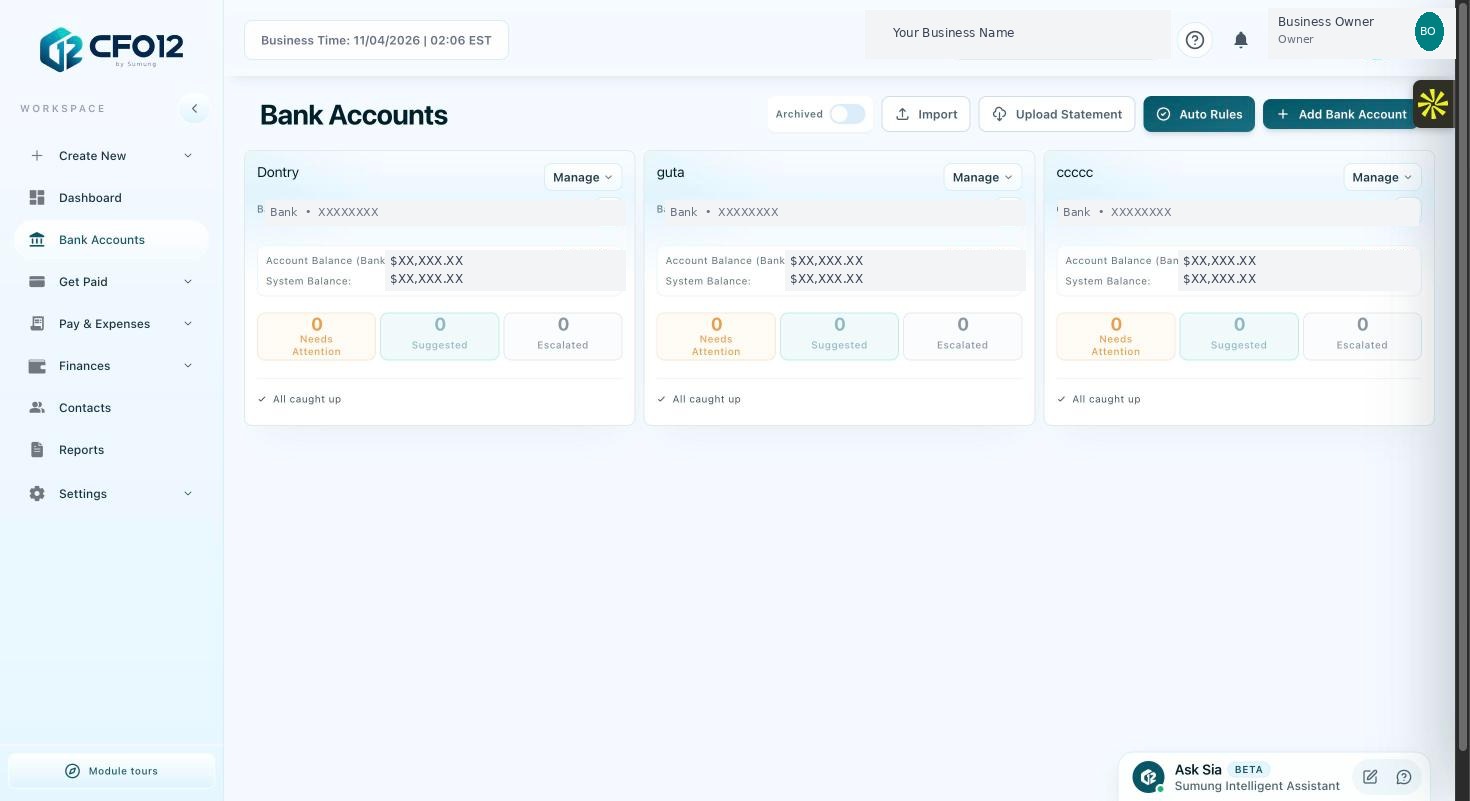
Overview of Bank Accounts in CFO12 screenshot

What You Can Do

  1. In the left sidebar, click Bank Accounts.
  2. The page shows all your active bank accounts.
  3. Actions available: Archived toggle, Add Bank Account, Import, Upload Statement, Auto Rules.
  4. Click any account to view its transactions.
  5. Use Import to upload bank transaction files and Auto Rules to automate transaction categorisation.

💡 Bank Accounts is accessible directly from the top of the left sidebar for quick access.

Related Articles

Was this article helpful?

Your feedback helps us improve our documentation.

Frequently asked questions

Can I track cash as well as bank accounts?

Yes. The Bank Accounts section covers both your business bank and cash accounts. For cash not yet deposited, such as petty cash, there is also a Cash on Hand account under Assets in the Chart of Accounts.

Do my bank accounts feed into my financial reports?

Yes. Categorised transactions appear in your financial reports, and reports combine data from all your bank accounts. The Cash Flow report under Reports reflects the activity recorded in your bank accounts.

Can I manage several business bank accounts at once?

Yes. Add each account with Add Bank Account; each one keeps its own transaction list and balance and is categorised and reconciled separately. Use the Bank Accounts overview to switch between them.

Complete guideBank reconciliation in CFO12: complete guide