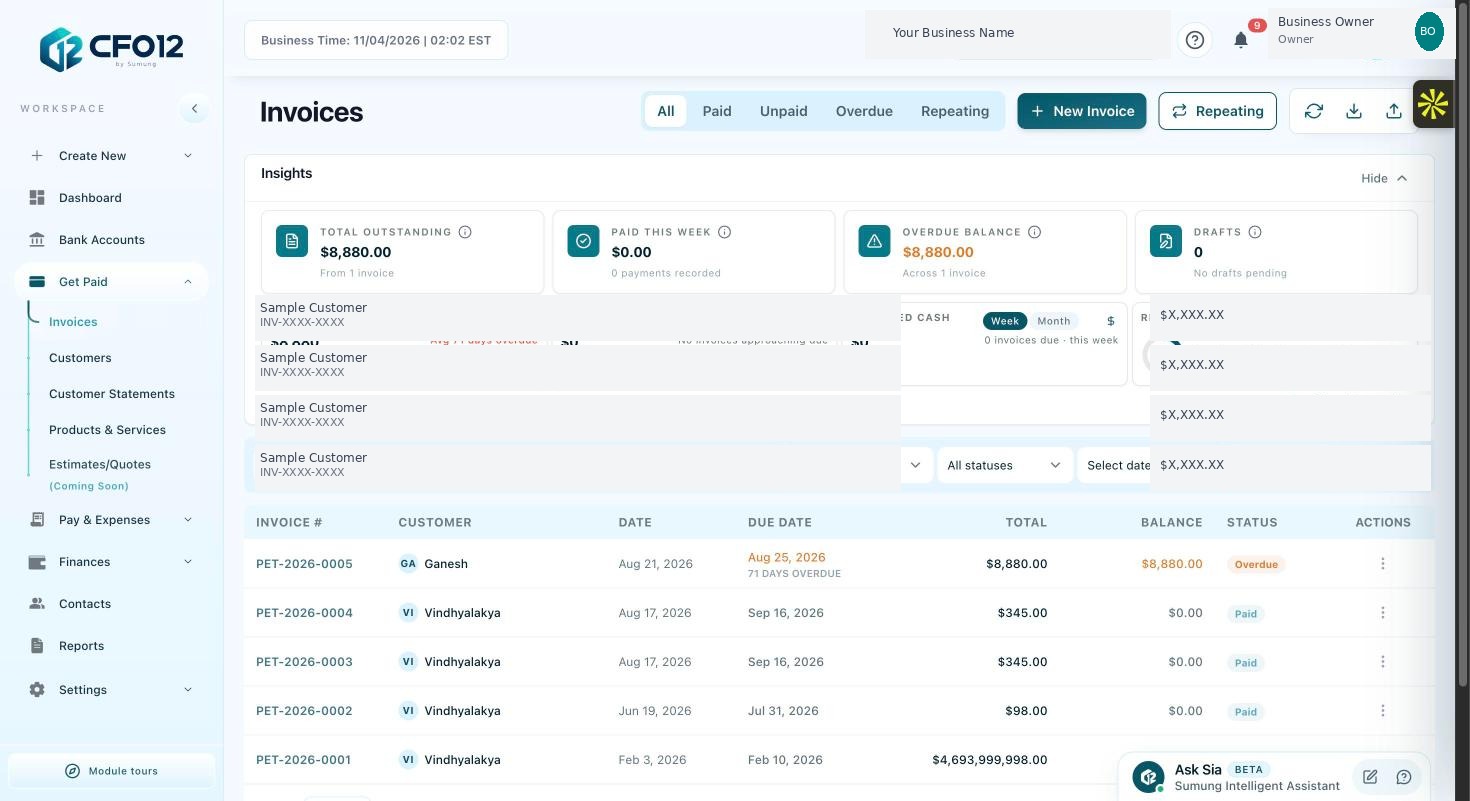
The Invoices list gives you a complete view of every invoice in your business.
What You Can Do
- In the left sidebar, click Get Paid > Invoices.
- The All tab shows every invoice regardless of status.
- Each row shows columns for Invoice #, Customer, Date, Due Date, Total, Balance, Status, and Actions.
- Use the status tabs — All, Paid, Unpaid, Overdue, Repeating — to narrow the view.
- Use the date range and customer filters to refine the list further.
💡 The Invoices list defaults to the All tab, showing every invoice you have created.
Related Articles
Was this article helpful?
Your feedback helps us improve our documentation.