An invoice is a document you send to a customer requesting payment for goods or services provided.
What You Can Do
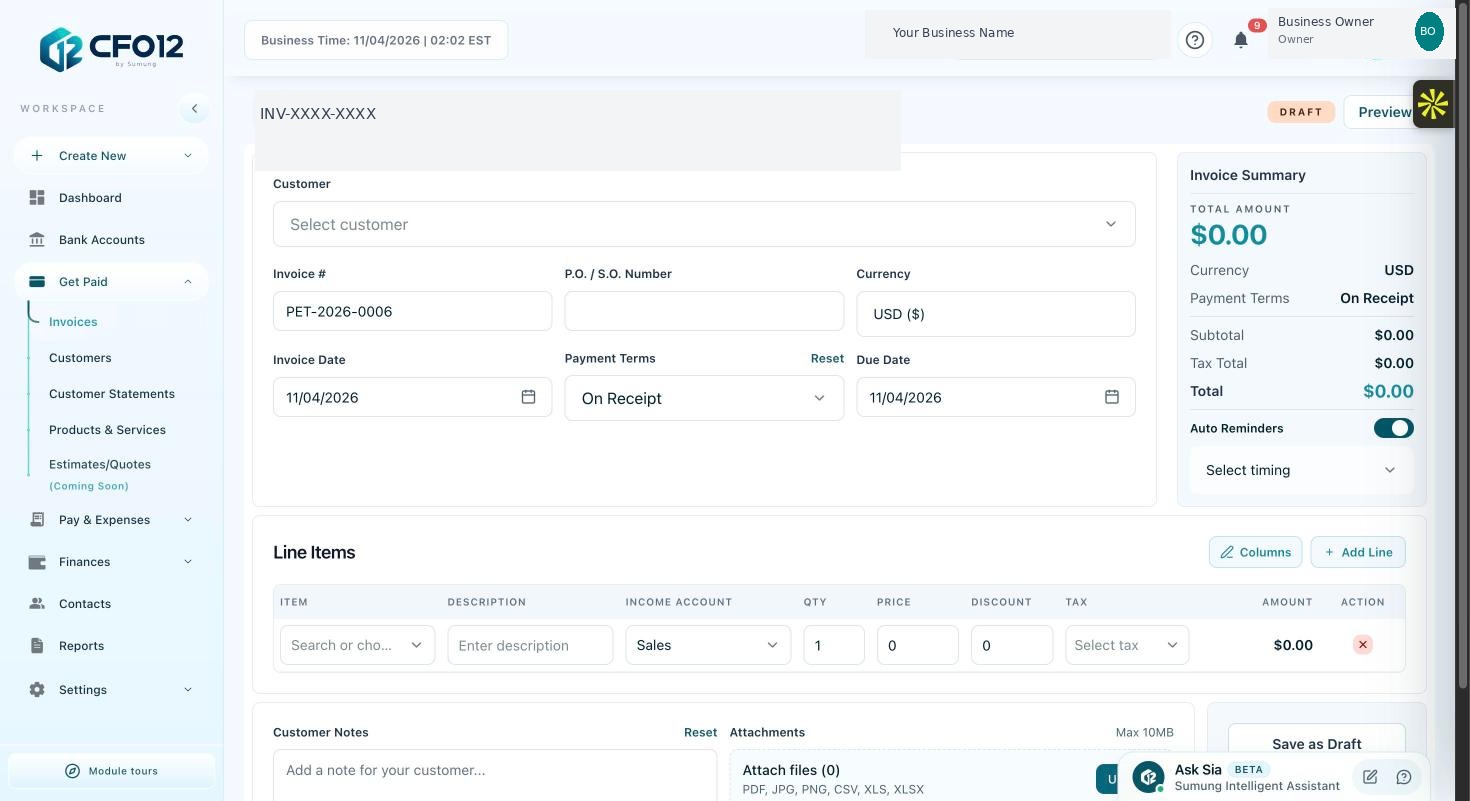
- Go to Get Paid > Invoices in the left sidebar.
- An invoice includes fields like Customer, Invoice #, Invoice Date, Due Date, and line items.
- Each line item can include an item name, description, income account, quantity, price, discount, and tax.
- Invoices can be saved as Draft, Approved, or sent directly to the customer.
💡 The Invoice # is auto-generated but can be edited manually.
Related Articles
- How to Create a New Invoice
- How to Add Line Items to an Invoice
- How to Send an Invoice
Was this article helpful?
Your feedback helps us improve our documentation.