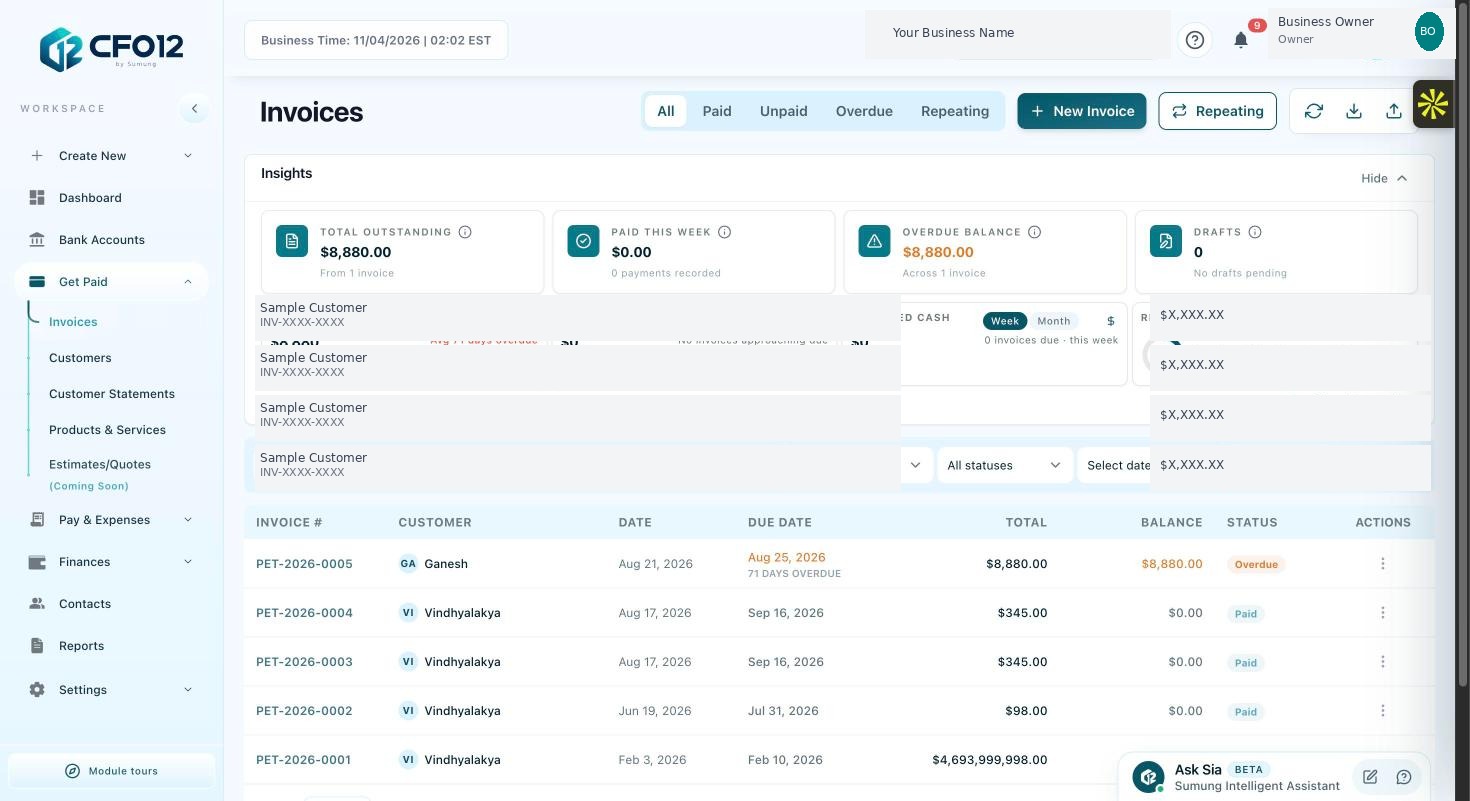
Use the status tabs on the Invoices page to focus on invoices that need your attention.
What You Can Do
- Go to Get Paid > Invoices.
- Click the Paid tab to see only fully paid invoices.
- Click Unpaid to see invoices that have been sent but not yet paid.
- Click Overdue to see invoices past their due date.
- Click Repeating to see invoices set up with a repeating schedule.
- Click All to return to the full invoice list.
💡 The Overdue tab is a quick way to identify customers who need a payment follow-up.
Related Articles
Was this article helpful?
Your feedback helps us improve our documentation.