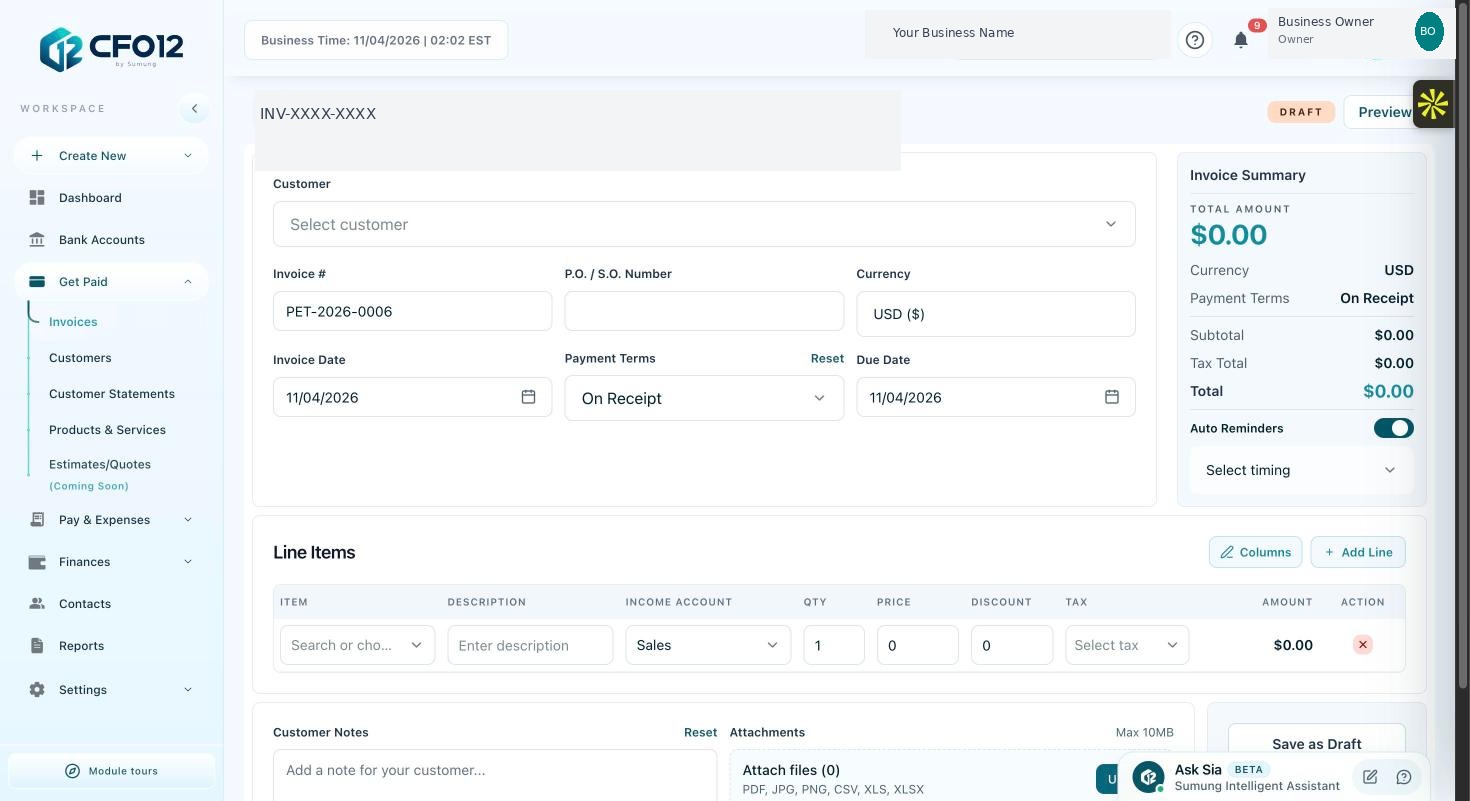
Line items on an invoice represent the individual products or services being billed to the customer.
What You Can Do
- Open or create an invoice.
- In the Line Items section, click Add Line.
- Select an item from the ITEM dropdown or type to search.
- Enter a DESCRIPTION, the INCOME ACCOUNT, QTY (quantity), and PRICE.
- Optionally enter a DISCOUNT percentage.
- Select a TAX rate if applicable.
- The AMOUNT column calculates automatically. Repeat for additional line items.
💡 You can add as many line items as needed. The Invoice Summary updates in real time.
Related Articles
- How to Apply a Discount to an Invoice Line Item
- How to Add Tax to an Invoice Line Item
- What Is the Income Account Field?
Was this article helpful?
Your feedback helps us improve our documentation.