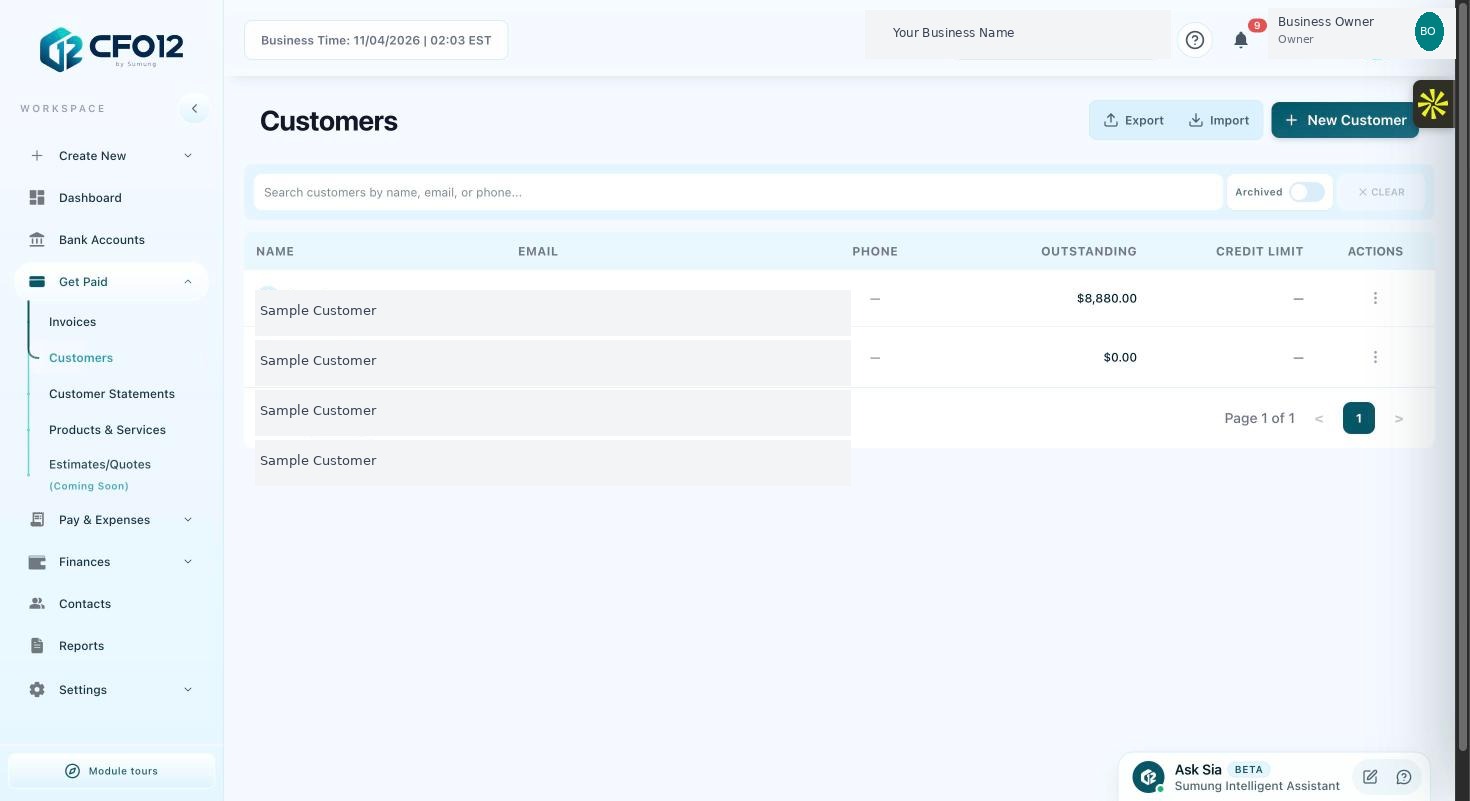
The Customers list in CFO12 shows each customer's outstanding invoice balance so you can track who owes you money.
What You Can Do
- Go to Get Paid > Customers.
- The customer list shows each customer and their current outstanding balance.
- Click a customer to open their record and view all linked invoices.
- Outstanding invoices are those that are approved but not yet fully paid.
- Use Reports > Aged Receivables for a detailed aging breakdown by customer.
💡 The Aged Receivables report gives you the most detailed view of outstanding customer balances grouped by how long they are overdue.
Related Articles
- How to View the Customers List
- How to View the Aged Receivables Report
- How to View Unpaid Invoices
Was this article helpful?
Your feedback helps us improve our documentation.