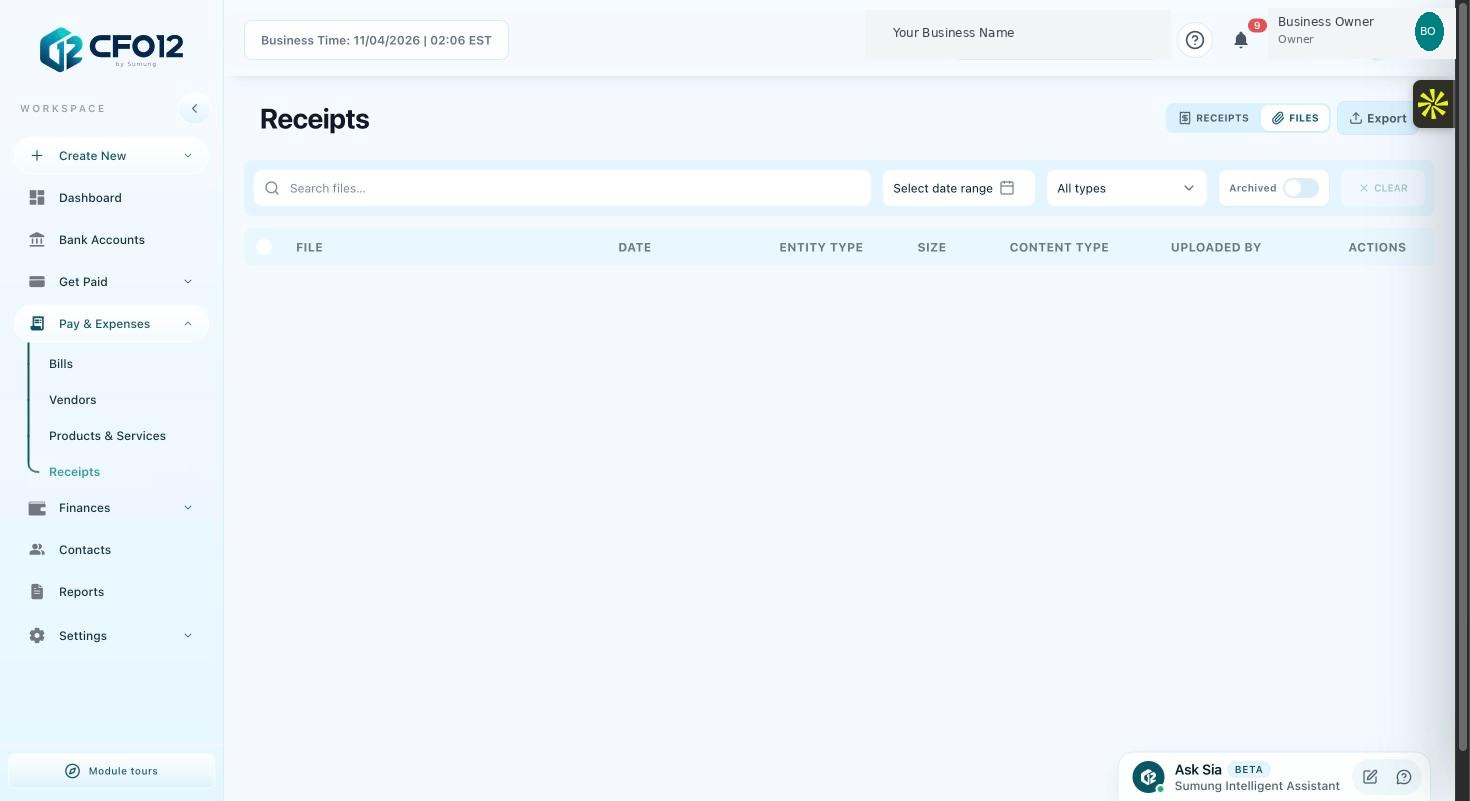
The RECEIPTS tab on the Receipts page displays all expense receipts you have uploaded to CFO12.
What You Can Do
- Go to Pay & Expenses > Receipts in the left sidebar.
- The RECEIPTS tab opens by default and shows a table with columns: File, Date, Entity type, Size, Content type, Uploaded by, and Actions.
- The tab lists all expense receipts you have uploaded.
- Use the Select date range filter, the All types dropdown, and the Clear button to narrow the list.
- Click Export to download the receipts list to a file.
💡 Tip: The RECEIPTS tab is your main view for tracking uploaded expense receipts.
Related Articles
- How to Upload a Receipt
- How to View Your Uploaded Receipts
- What Is the FILES Tab on the Receipts Page?
Was this article helpful?
Your feedback helps us improve our documentation.