
How to Archive a Bank Account

Archive a bank account you no longer use to remove it from the active list. Go to Bank Accounts. Find the account you want to archive.

Last updated

Quick answer

To archive a bank account in CFO12, go to Bank Accounts, find the account you no longer use, click its archive action and confirm. The account moves from the active list to the Archived list, and its transaction history stays accessible from the Archived view.

Archive a bank account you no longer use to remove it from the active list.
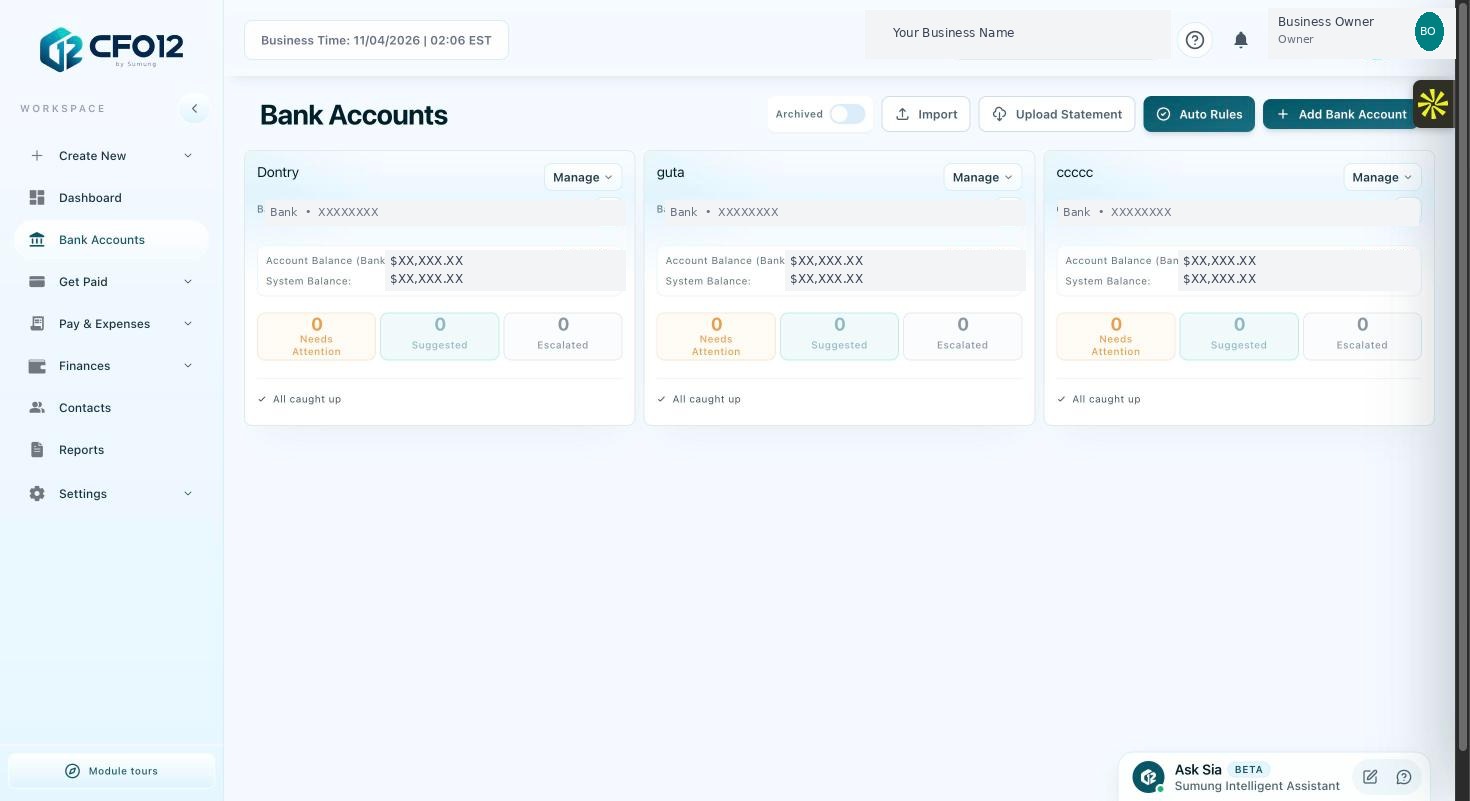
How to Archive a Bank Account screenshot

What You Can Do

  1. Go to Bank Accounts.
  2. Find the account you want to archive.
  3. Click the archive action for that account.
  4. Confirm the action.
  5. The account is moved to the Archived list.

💡 Archived accounts and their transaction history are still accessible from the Archived view.

Related Articles

Was this article helpful?

Your feedback helps us improve our documentation.

Frequently asked questions

How do I find a bank account after archiving it?

Go to Bank Accounts and click Archived. The page lists all archived accounts, and you can click one to view its transaction history.

Can I use an archived bank account again?

Yes. Open it from the Archived view and unarchive it when you need to use it again.

Do archived accounts still count in my reports?

Yes, archived accounts are still included in historical financial reports, so archiving does not remove their past activity from your books.

Complete guideBank reconciliation in CFO12: complete guide