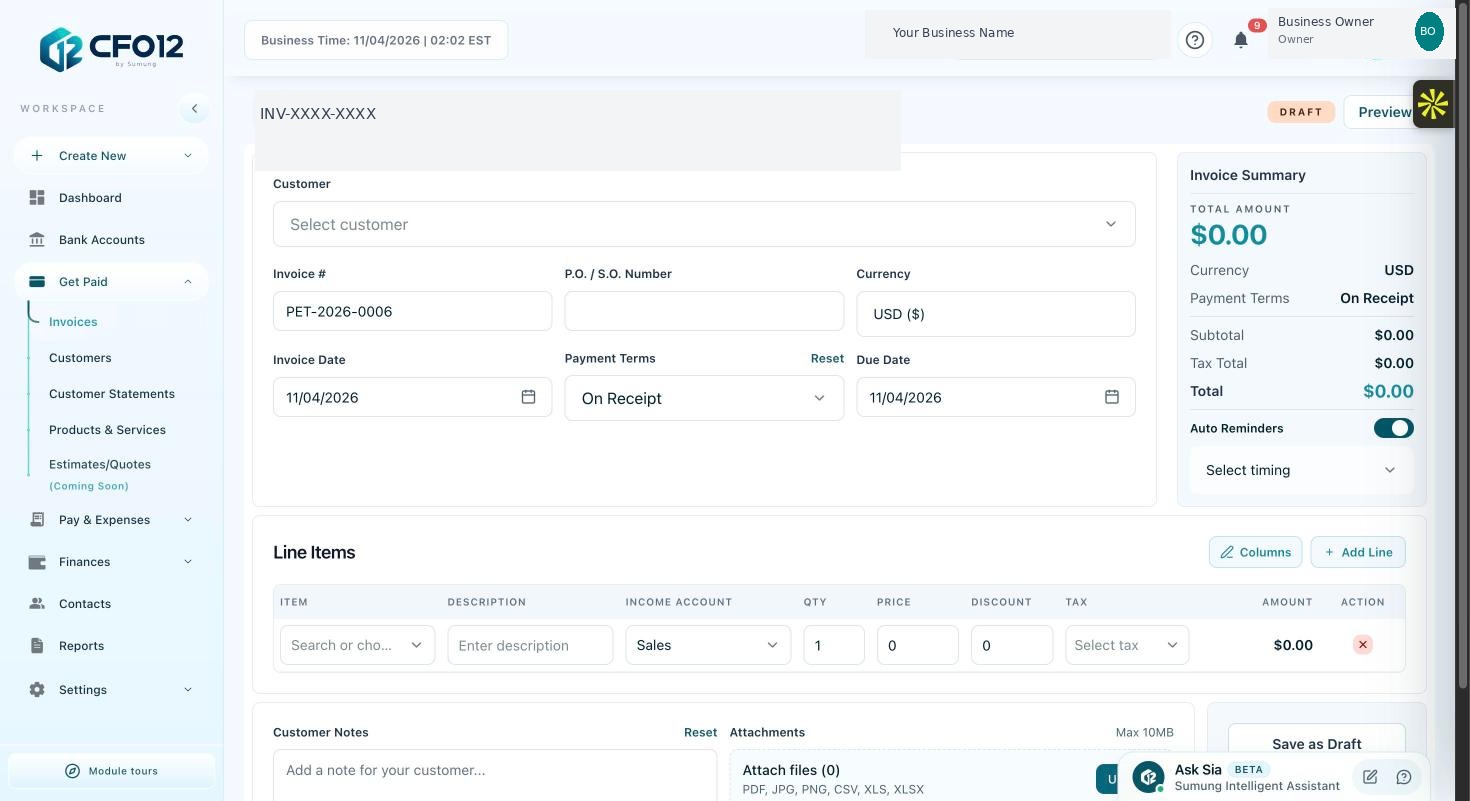
The invoice date records when the invoice was issued and is used for payment term calculations.
What You Can Do
- Open or create an invoice.
- Click the Invoice Date field.
- Select the date using the date picker.
- The Due Date will update automatically based on the Payment Terms selected.
💡 The invoice date defaults to today's date but can be changed to any past or future date.
Related Articles
Was this article helpful?
Your feedback helps us improve our documentation.