
How to Send a Payment Reminder to a Customer

If a customer has not paid an overdue invoice, you can resend the invoice from CFO12 as a payment reminder. Go to Get Paid > Invoices.

Last updated

Quick answer

To send a payment reminder in CFO12, go to Get Paid, Invoices and open the overdue or unpaid invoice. Click Send or Resend to email the invoice to the customer again, which serves as a reminder to pay. The Overdue tab on the Invoices list shows which invoices are past their due date.

If a customer has not paid an overdue invoice, you can resend the invoice from CFO12 as a payment reminder.
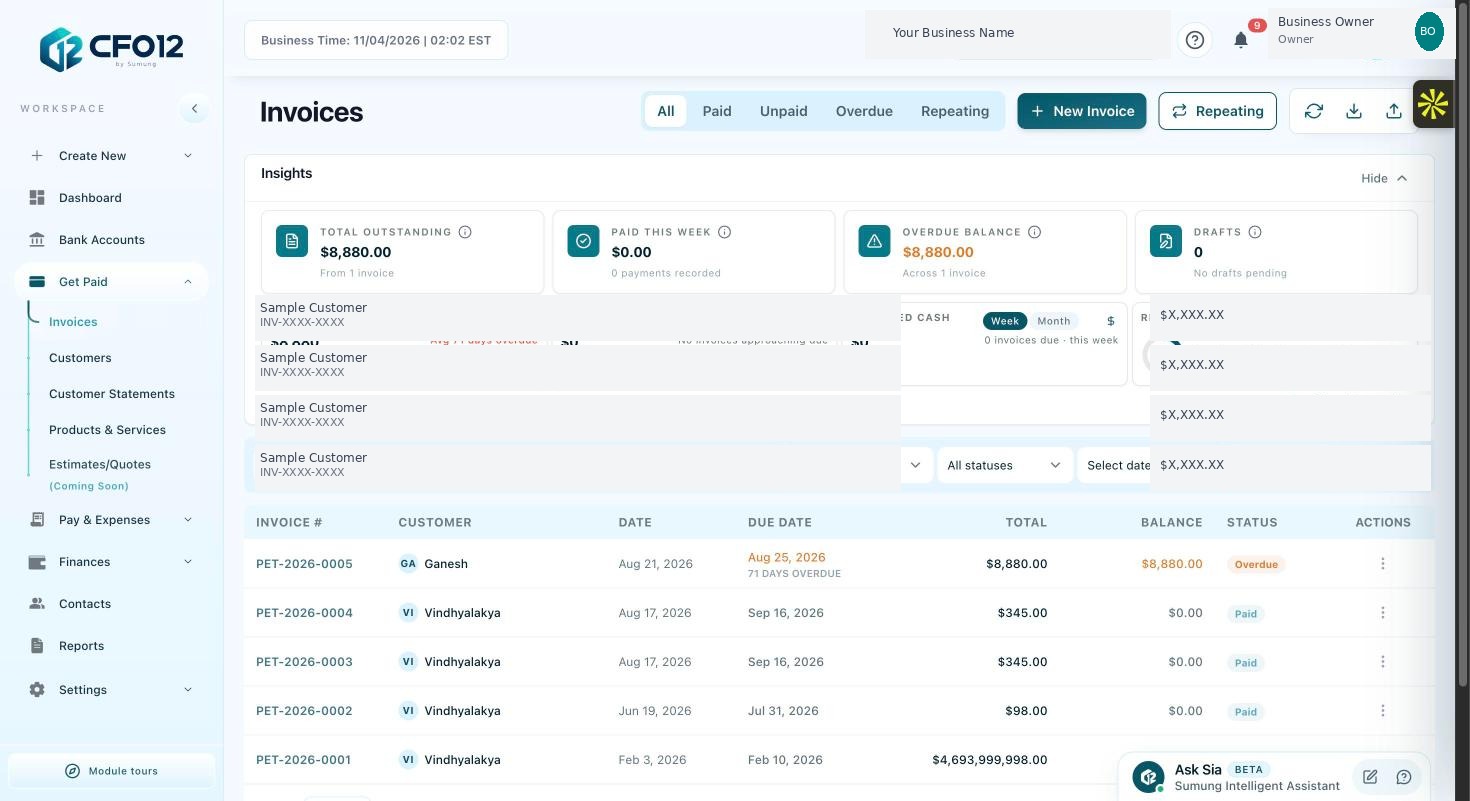
How to Send a Payment Reminder to a Customer screenshot

What You Can Do

  1. Go to Get Paid > Invoices.
  2. Find the overdue or unpaid invoice.
  3. Open the invoice.
  4. Click Send or Resend to email the invoice again to the customer.
  5. The customer receives the invoice by email as a reminder to pay.

💡 Use the Aged Receivables report to identify all overdue invoices before sending reminders.

Related Articles

Was this article helpful?

Your feedback helps us improve our documentation.

Frequently asked questions

How do I see which customers are overdue?

Click the Overdue tab on the Invoices page to see unpaid invoices past their due date. For a detailed aging breakdown by customer, use the Aged Receivables report under Reports.

Can I remind a customer about several unpaid invoices at once?

Yes, with a customer statement. Under Get Paid, Customer Statements, create an Outstanding invoices statement for the customer and email it; it lists each unpaid invoice with its date, amount and due date.

What does an aged receivables report show?

It groups the money customers owe you by how long their invoices have been outstanding or overdue. This helps you decide which balances to follow up first.

Complete guideInvoicing and getting paid in CFO12: complete guide