CFO12 provides multiple ways to review all business expenses recorded as bills.
What You Can Do
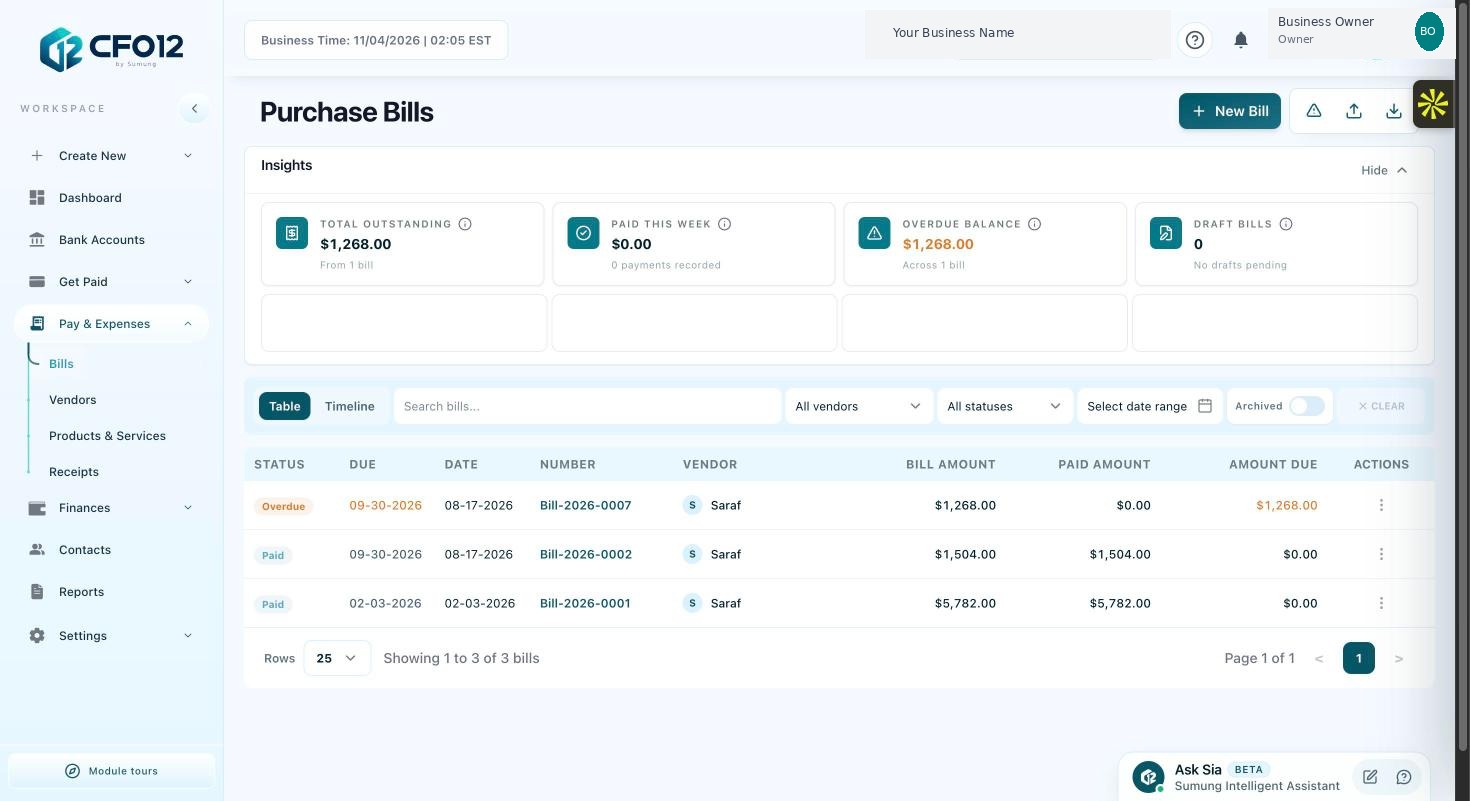
- Go to Pay & Expenses > Bills to see a list of all bills.
- Filter by date range, vendor, or status to focus on specific expenses.
- Go to Reports > Purchases by Vendor for a vendor-level summary.
- Go to Reports > Profit & Loss to see total expenses for a period.
💡 Regularly reviewing expenses helps you identify spending patterns and opportunities to reduce costs.
Related Articles
- How to View the Purchases by Vendor Report
- How to View the Profit & Loss Report
- How to Filter Bills by Date Range
Was this article helpful?
Your feedback helps us improve our documentation.