The Chart of Accounts is the complete list of financial accounts used to record and categorise every transaction in your business.
What You Can Do
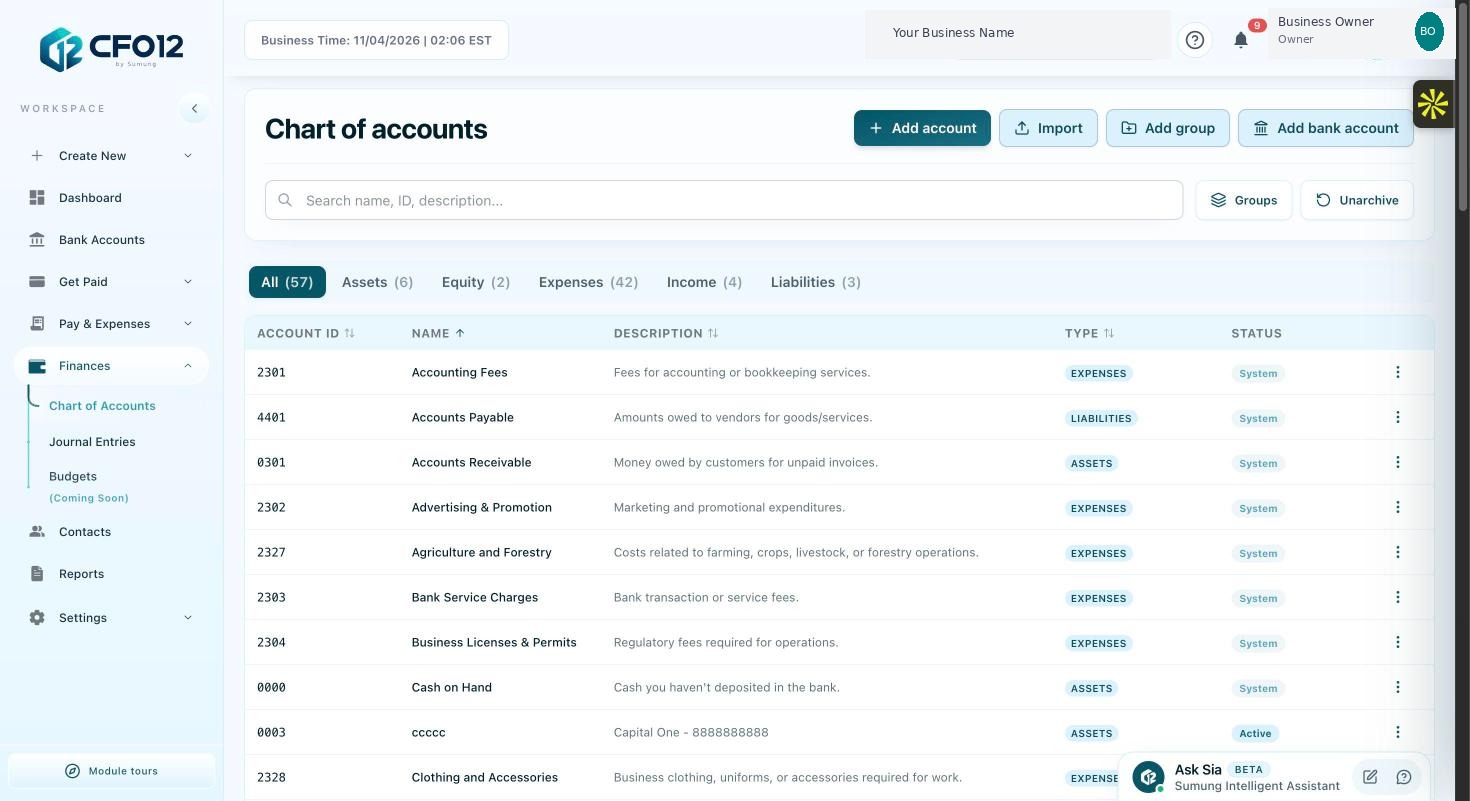
- In the left sidebar, click Finances > Chart of Accounts.
- The page shows all accounts grouped by type: Assets, Liabilities, Equity, Income, and Expenses.
- CFO12 includes 57 default system accounts: Assets (6), Liabilities (3), Equity (2), Income (4), and Expenses (42).
- You can add custom accounts, manage bank accounts, and organise accounts into groups from this page. Use the Add group and Groups buttons on the Chart of Accounts page to create and manage account groups.
💡 System accounts cannot be deleted but custom accounts can be archived when no longer needed.
Related Articles
- How to Add a New Account
- How to Filter Accounts by Type
- What Are the Different Account Types?
Was this article helpful?
Your feedback helps us improve our documentation.