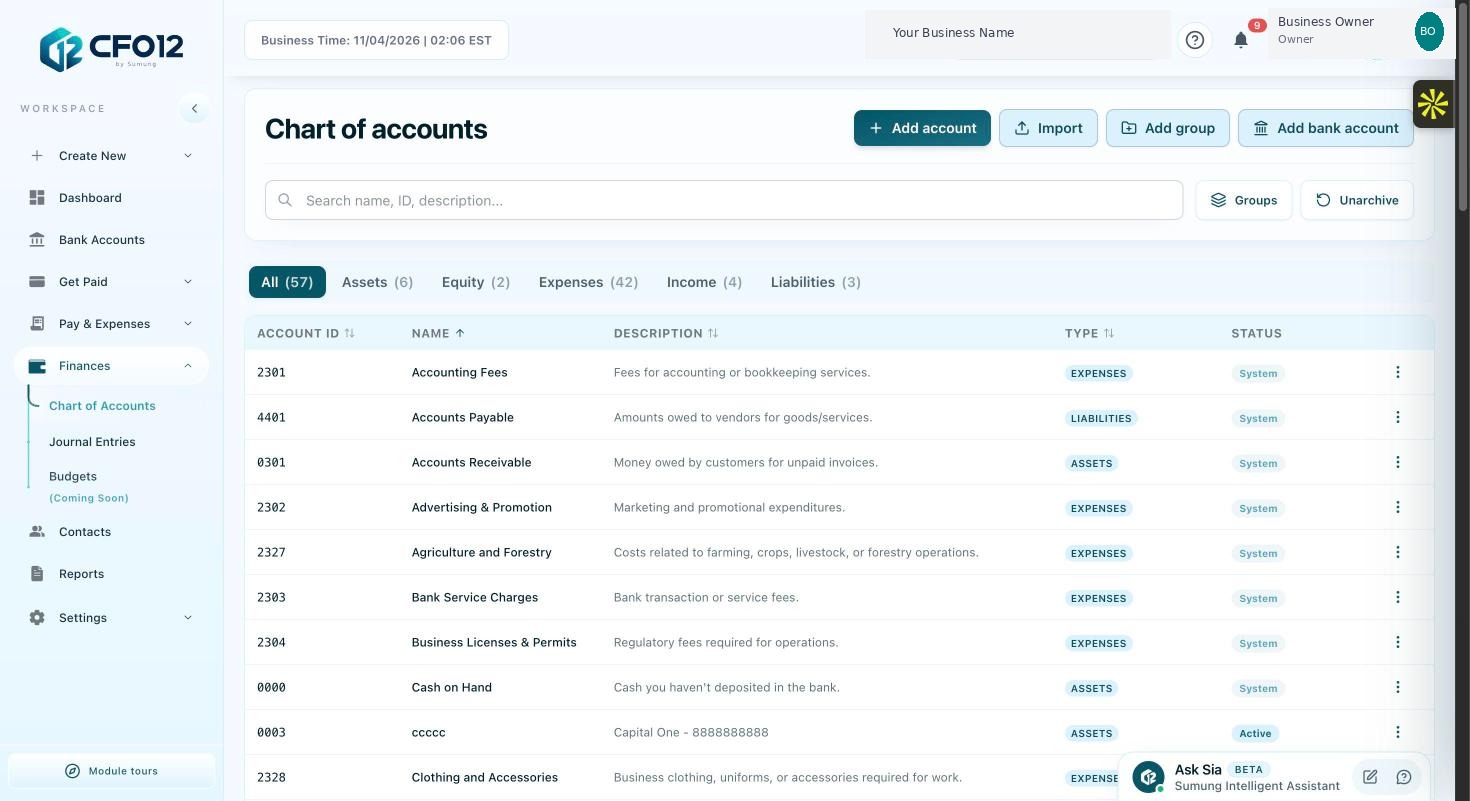
The Chart of Accounts lists all accounts used in your organisation. You can scroll through the list or locate a specific account by its Account ID or name.
What You Can Do
- Go to Finances > Chart of Accounts.
- Scroll through the list to find the account you are looking for.
- Look for accounts by their Account ID or name in the Account ID and Name columns.
- Note the Type column to confirm the account type (e.g. Asset, Expense).
- Use the account you have located when creating journal entries, invoices, or bills.
💡 The list shows Account ID, Name, Description, Type, Status, and Actions columns. Knowing the Account ID helps you find it quickly.
Related Articles
Was this article helpful?
Your feedback helps us improve our documentation.