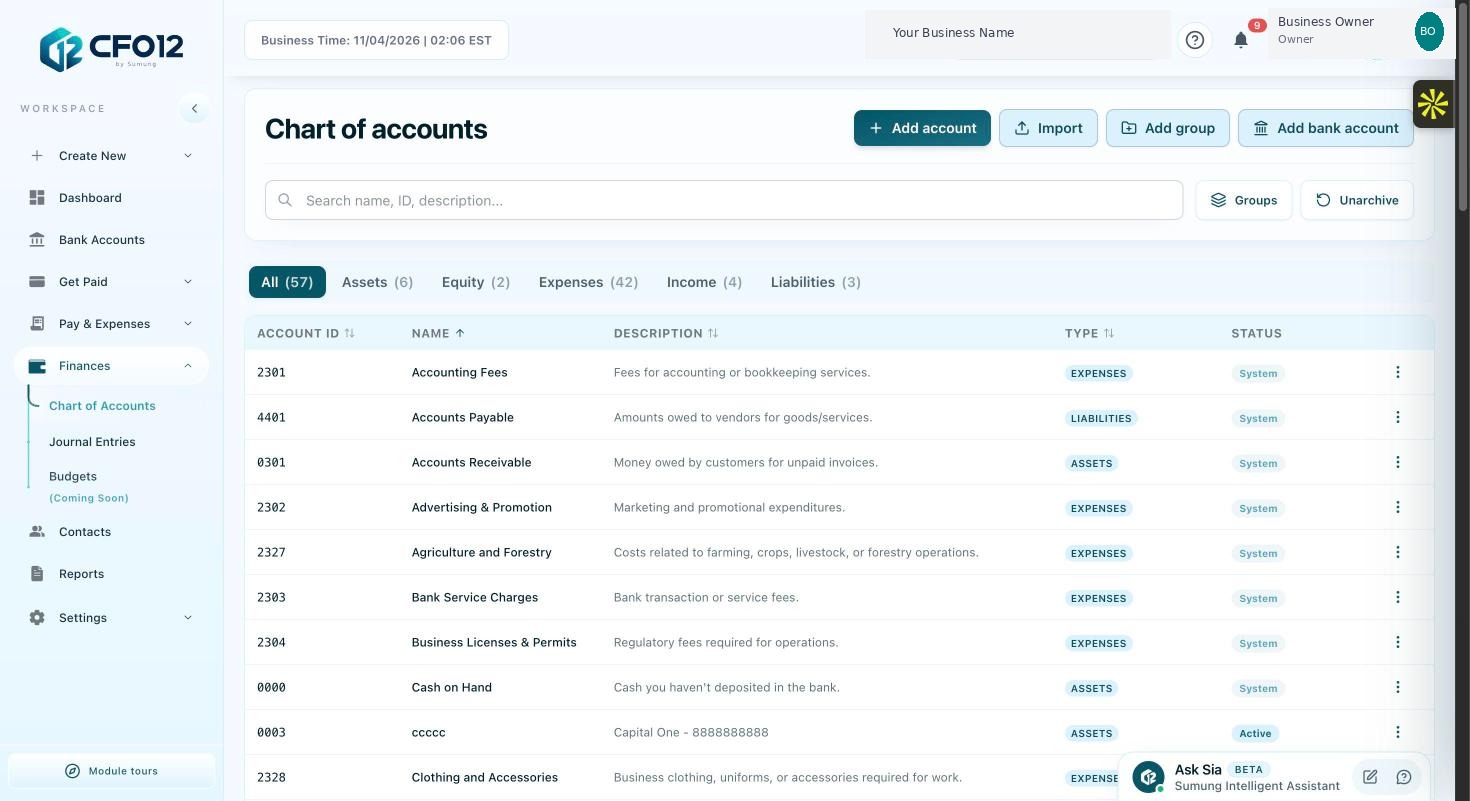
Open an account from the Chart of Accounts to see all transactions recorded to it.
What You Can Do
- Go to Finances > Chart of Accounts.
- Click on an account name.
- The account detail view shows all transactions recorded to that account.
- Use the available options to focus on a specific period if needed.
- Also use the General Ledger report for a detailed account-level transaction view.
💡 The General Ledger report shows starting balance, all entries, running balance, and ending balance for any account.
Related Articles
- How to View the General Ledger Report
- How to View All Accounts
- Overview of the Chart of Accounts
Was this article helpful?
Your feedback helps us improve our documentation.