CFO12 includes pre-built income accounts for tracking revenue.
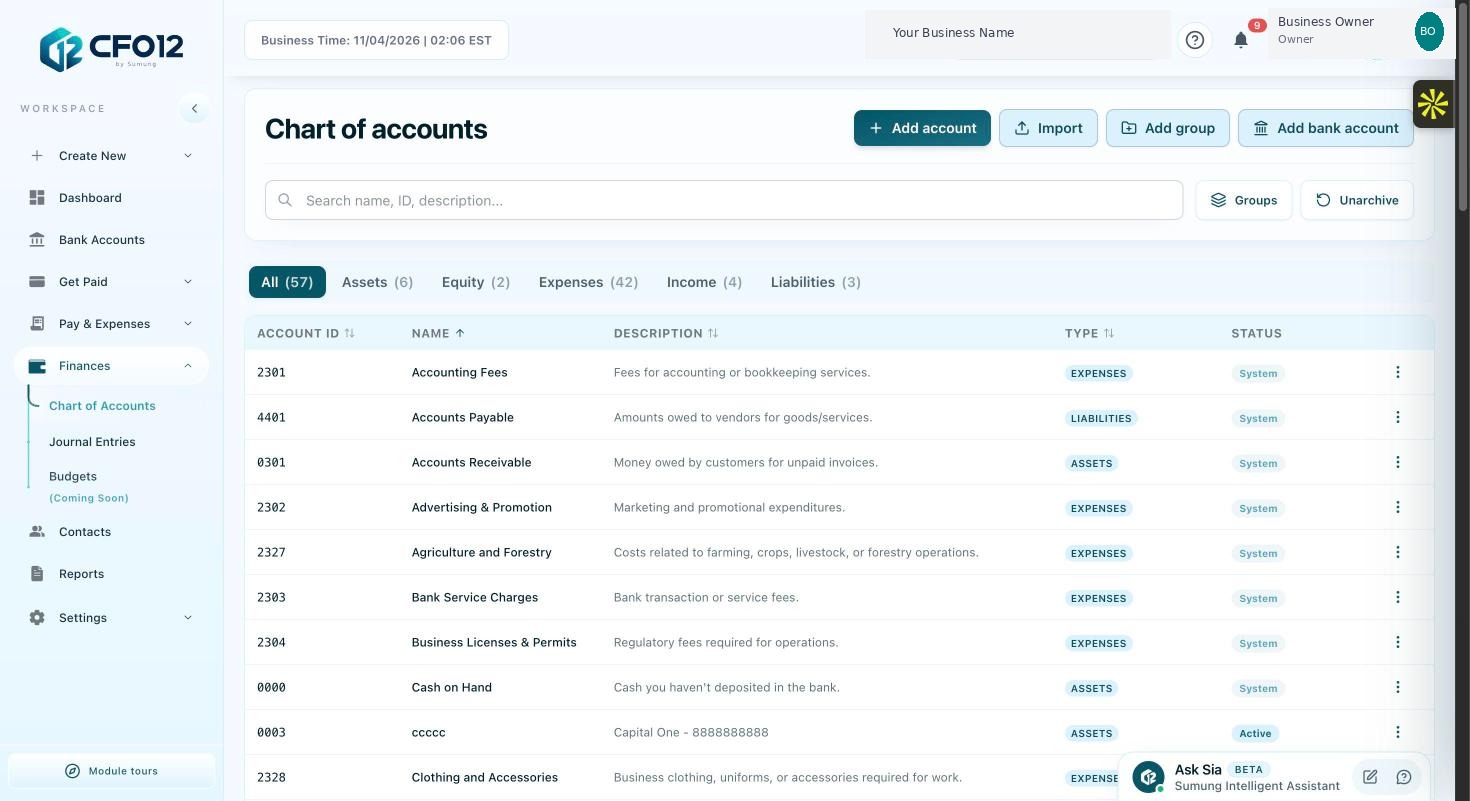
What You Can Do
- Go to Finances > Chart of Accounts.
- Click the Income tab.
- Income accounts typically include sales revenue, interest earned, discount given, and uncategorised income.
- Review each account's name and type.
- Add custom income accounts if you have multiple revenue streams to track separately.
💡 Creating separate income accounts for different products or services improves revenue reporting detail.
Related Articles
- What Are Income Accounts?
- How to Add a New Account
- How to View the Profit & Loss Report
Was this article helpful?
Your feedback helps us improve our documentation.