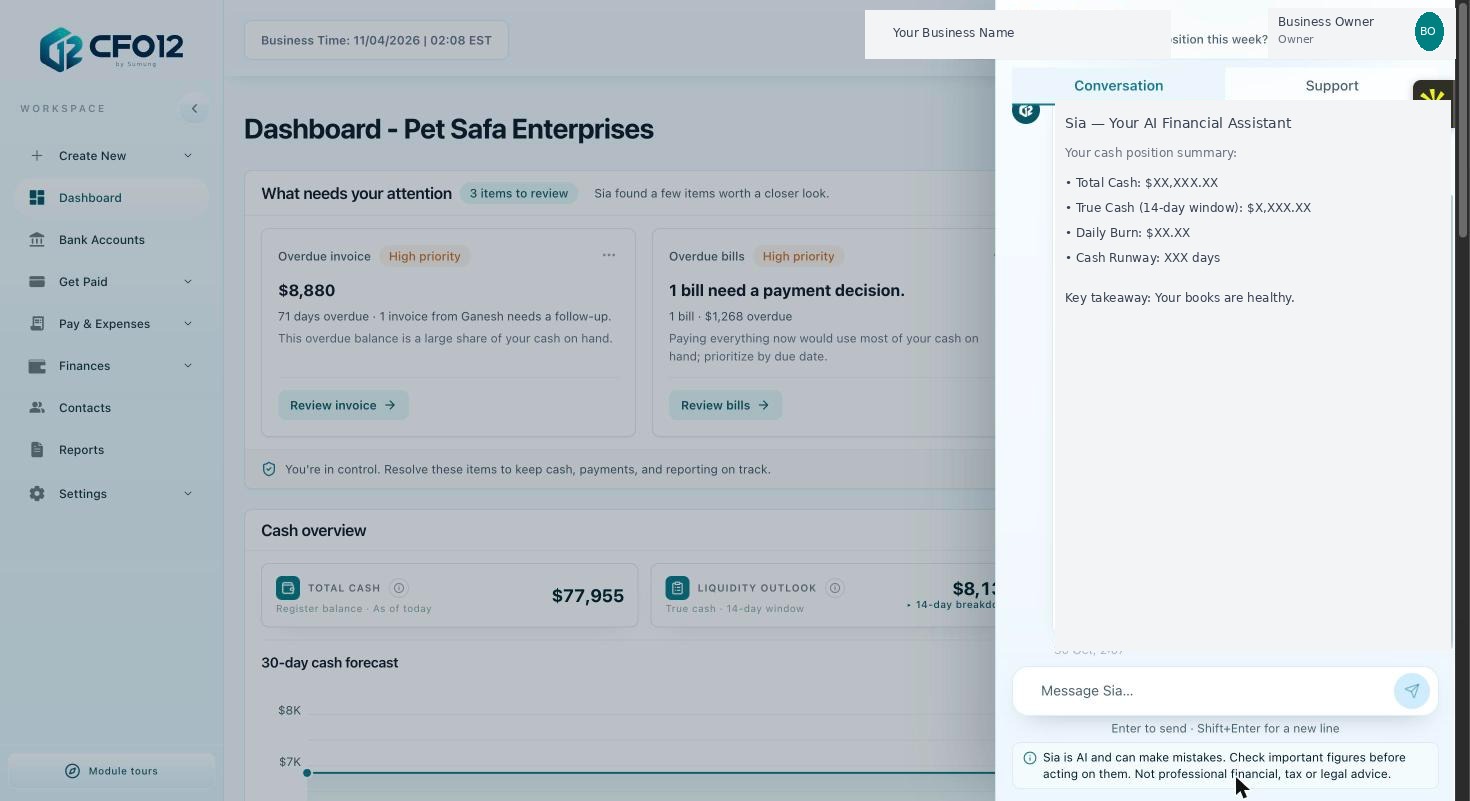
Go to Ask Sia to access the Ask Sia feature.
What You Can Do
- Go to Ask Sia.
- Open Ask Sia.
- The Ask Sia chat interface opens.
- Type your question and press Enter.
- Sia responds with an answer based on your CFO12 data.
💡 Ask Sia (BETA) is accessible from your CFO12 navigation. Refer to your administrator for guidance on where to find it.
Related Articles
Was this article helpful?
Your feedback helps us improve our documentation.