Use search and filters to manage large numbers of contacts efficiently.
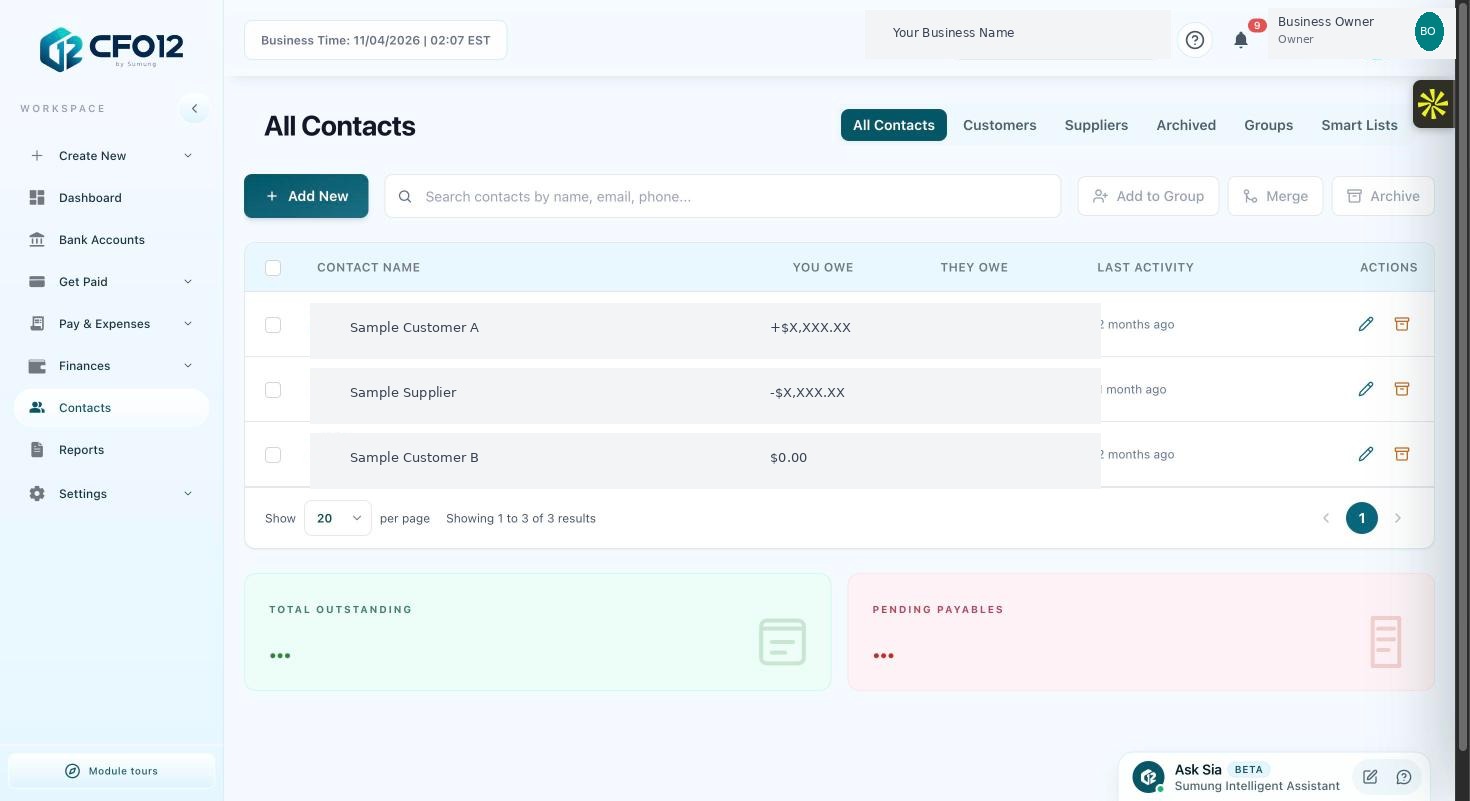
What You Can Do
- Use the Customers and Suppliers tabs to filter contacts by type.
- Use the search field to find specific contacts quickly.
- Use Groups to organise contacts into named sets — click Groups to manage groups or Add to Group to assign selected contacts.
- Use Smart Lists to create saved dynamic filters — each Smart List automatically shows contacts matching defined criteria.
- Archive inactive contacts to keep the active list manageable.
💡 Groups, Smart Lists, tabs, and search all work together to keep a large contact list manageable.
Related Articles
Was this article helpful?
Your feedback helps us improve our documentation.