If the same contact appears more than once, review and clean up the duplicate entries to keep your contact list accurate.
What You Can Do
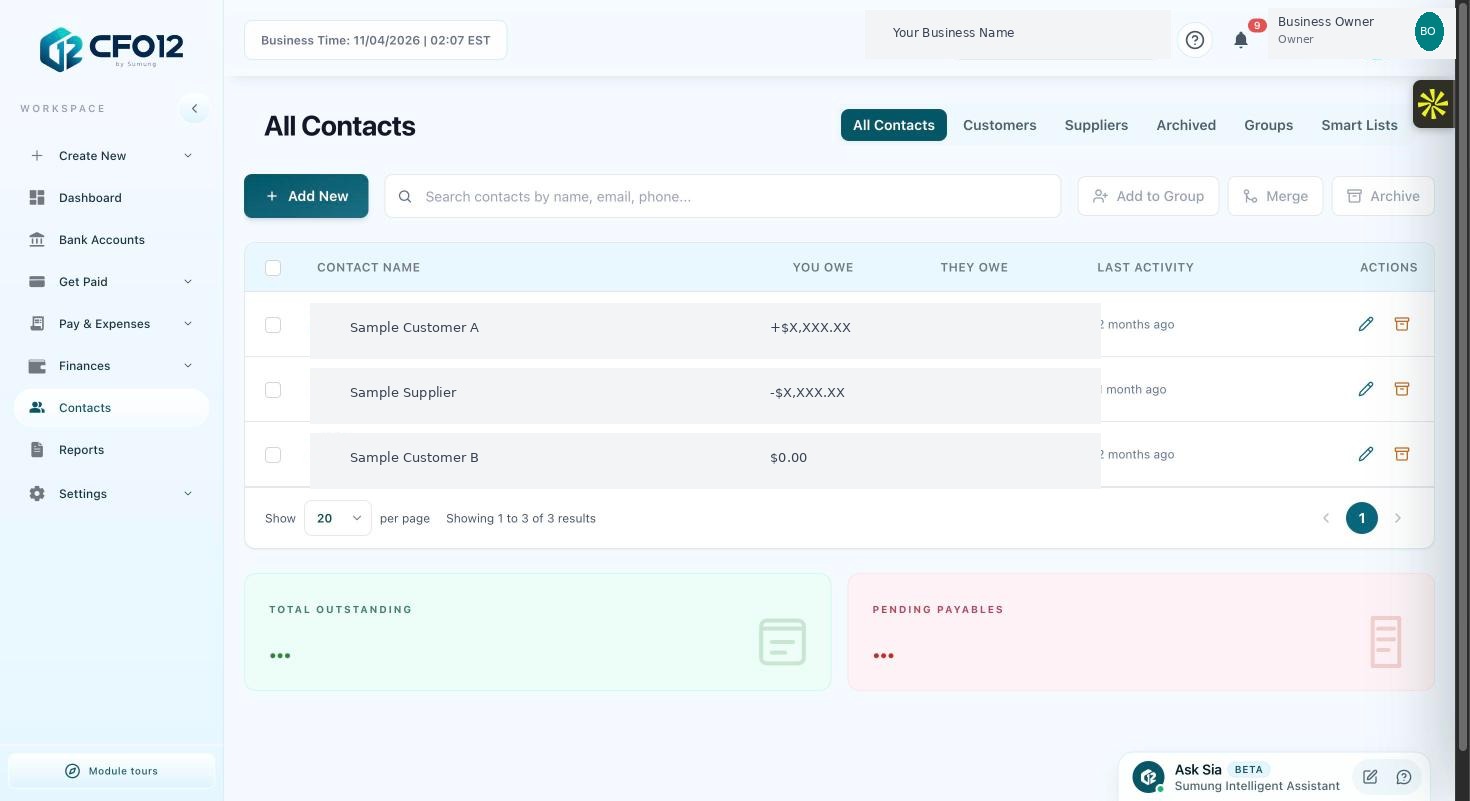
Go to Contacts > All tab.
Browse or search for contacts that may be duplicated.
Compare their details and transaction histories to confirm they represent the same entity.
Select both duplicate contacts using the checkboxes next to their names.
Click the Merge button in the toolbar to merge the two contacts into one record.
Review the merge preview and confirm which details to keep, then save.
💡 Use the Merge button to combine duplicate contacts without losing transaction history.
Related Articles
- How to Archive a Contact
- How to Search for a Contact
- Overview of Contacts
Was this article helpful?
Your feedback helps us improve our documentation.